
- Published on
Learning Next.js - "Setting Up Your Database" Chapter 6
- Authors

- Name
- Brett Stockmeier
Introduction
This chapter is about setting up the database for the app. If you don't have knowledge of of PostgresSQL, the tutorial recommends setting one up one through "Vercel's marketplace integrations". While I believe I've used PostgresSQL before... to put it plainly, I could use a refresher. And I certainly haven't used Vercel1 before.
Unfortunately, this chapter does not make for a good introduction.
In this chapter (with little explanation)
- Push your project to Github (long since done)
- Set up a Vercel account and link your github to it
- Create and link your project to a postgres database
- Seed the database with initial data
The github stuff is fine, and creating a Vercel account is as simple as following directions and making sure you never enter your credit card information b/c this is a tutorial. When it comes time to put a database to work on a serious project open to the public, I'll have to have a better idea of what I'm doing I'm sure. Even connecting your github project and deploying on Vercel is easy enough with the tutorial.
The issue comes after that, when it comes to making decisions about your database that might possibly affect it's scope in the long term. Of course, I'm guessing that making the wrong choice at the beginning can be corrected later on. I assume the commitment isn't until death.
It's worth making special note that when you connect your github to Vercel, every time you push changes to the main branch, Vercel will automatically redeploy the project "no configuration needed".
Also of note, when you open Pull Requests (something that I haven't had opportunity to test myself on a solo dev tutorial project), you get an "instant preview URL" which "allow you to catch deployment errors early and share a preview of your project with team members for feedback"
And after that...
There's instructions, but no... guidance.
Next, to set up a database, click Continue to Dashboard and select the Storage tab from your project dashboard. Select Create Database. Depending on when your Vercel account was created, you may see options like Neon or Supabase. Choose your preferred provider and click Continue.
Ok, but if i'm new to Vercel, what do I know of the differences between Neon and Supabase? When you don't have a preferred provider and aren't informed enough to know the nuance. (iirc, the screenshots were also wrong and out of date)
It's a chapter that could use an update.
Eventually, I looked forward in the instructions, saw that Neon was being used in a later screenshot.
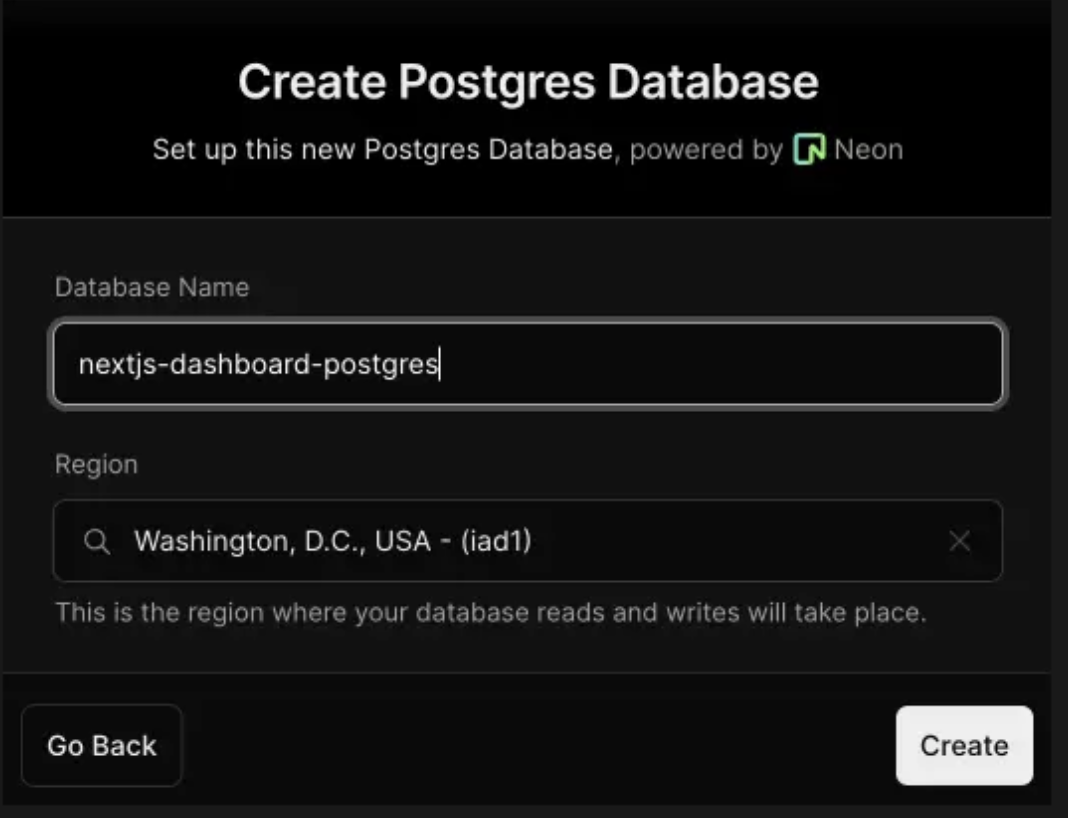
So I used Neon.
In Conclusion
It's a weird dumb chapter. It's not easy to follow it to the letter. Add it to the list of things I need to study up on.
If you're like me and unsure of what or why to pick something, I advise going with Neon and not letting yourself get tripped up when things don't always look the way they tell you that they should (tbh, something that trips me up far too often; I like reliable instructions that I can depend on)
P.S.
Oh yeah, and then there's a pre-made endpoint on the application that by navigating to in the browser will execute a SQL query to seed the database, and another to run a Select statement on the database to confirm it was seeded properly.
I'm honestly grateful to have this code to look at. I'm sure it'll be useful in the future.
Footnotes
But it's clear from the tutorial that they are a database provider ↩