
- Published on
Learning Next.js - App Router Chapter 1
- Authors

- Name
- Brett Stockmeier
Introduction (from the author)
It's taken me way too long to get this post up. What follows is a rundown of the contents of Chapter 1 of the next.js course and my reactions to it. You can find the course material here.
Creating a New project
Duing the course of following this course, I realized I had grown accustoomed to creating and linking github projects in a very specific way, and I actually spent a couple minutes looking up how to add a project to my github account via anything other than the github website. This is a blindspot I'll have to work on.
It also had me install pnpm. I've been a part of programming long enough to wonder if there may very well be an alternative out there somewhere that experienced programmers prefer. It's something to look up later.
Exploring the project [Structure]
There's not much to say here. app holds the project files. ui for front-end and... lib for back-end is a new convention for me. I always associated it with library, which I see more as a storehouse of knowledge (or something like type/resource definitions) rather than someplace to keep the inner logic of your app. It's certainly something I can become accustomed to though. I wonder how widespread it is? If it's a convention unique to next.js, or if other technologies use it as well.
I know myself well enough to realize that it might actually be a widespread convention that I've just failed to take notice of until now (although it certainly wasn't that way at my last job where we did fullstack dev with Java and javascript).
Also, the project structure in the sample application I downloaded is more complex than the text of the tutorial would suggest. I can see why they'd simplify it, but at the same time, I hate that kind of thing. It's definitely a me problem, but I'd just prefer to learn something using precise instructions.
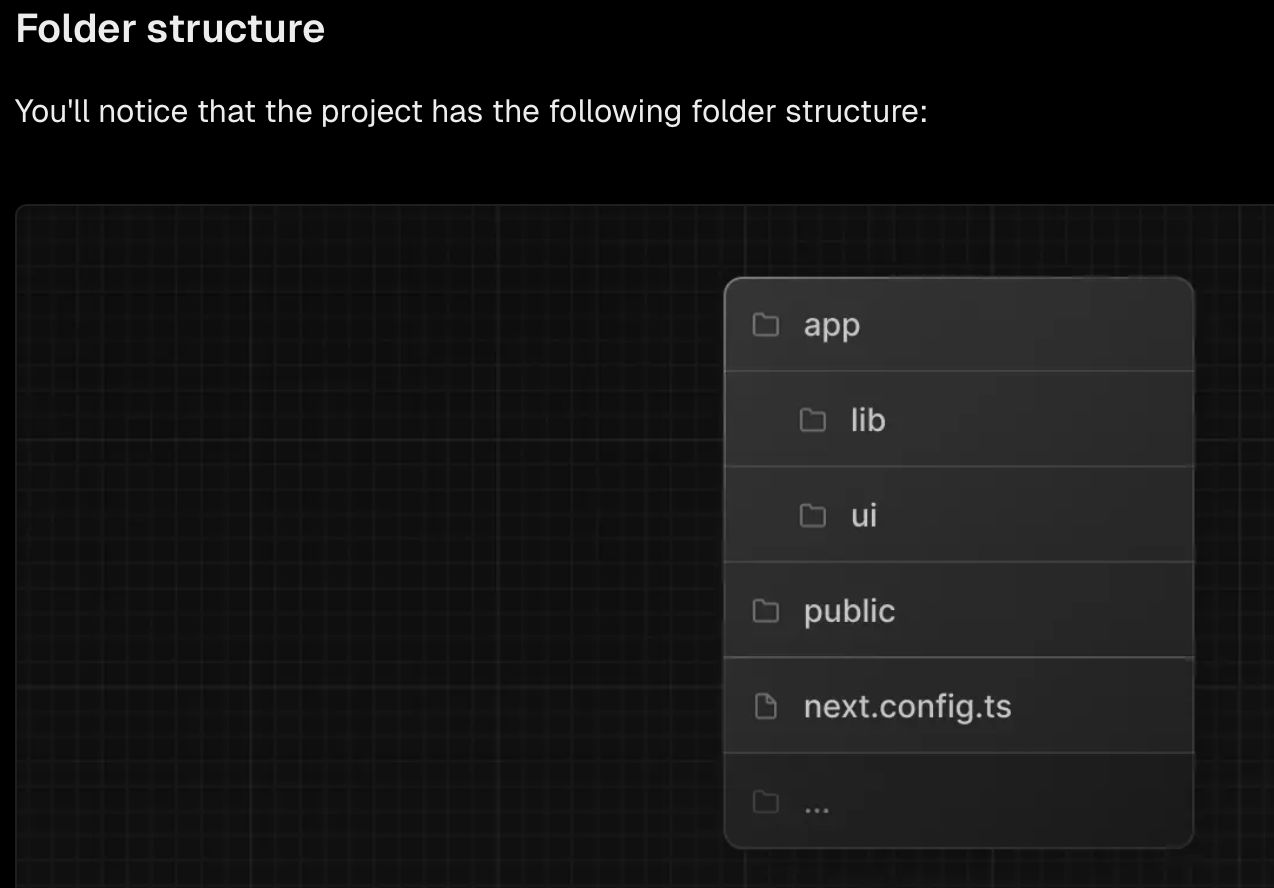
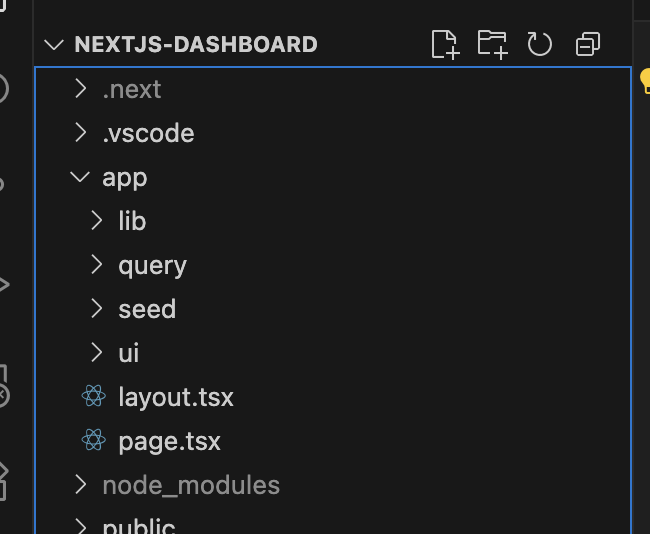
Ideally, they'd just say something in the tutorial instructions to ignore query and seed for now.
Placeholder Data
It's already created for me as javascript objects. Not too much to say about the project itself. i will say though that as part of the brave new world of coding that we currently exist in, I'm always on the lookout for tasks that can be entrusted to AI that I wouldn't feel scummy about. Generating mock data for testing seems like a smart use, providing it's capable of matching busines rules and needs on a project-to-project basis. I hope I have an opportunity to put it to the test someday.
TypeScript
Something I still need ot learn. I went ahead and looked at the provided code files (complete with some helpful comments). My guess from a cursory inspection is that definitions.ts is defining custom user determined objects, complete with fields that have been assigned types. I wonder if TS can recognize and assign data to one of these user-defined types implicitly or if that needs to be made explicit in the code? Also, a field can be assigned custom pre-defined string values (according to the comments,, they are called a "string union type"), and that seems pretty cool.
export type Invoice = {
  id: string;
  customer_id: string;
  amount: number;
  date: string;
  // In TypeScript, this is called a string union type.
  // It means that the "status" property can only be one of the two strings: 'pending' or 'paid'.
  status: 'pending' | 'paid';
};
Running the Development Server
Again, I wonder if there's a community favored alternative I'm not aware of. But everything according to the tutorial seems simple enough. No problems running it.
And that's Chapter 1!
Next up: CSS Styling. Unless you're using this day to day for work, it's probably something everyone could use a referesher on, right?